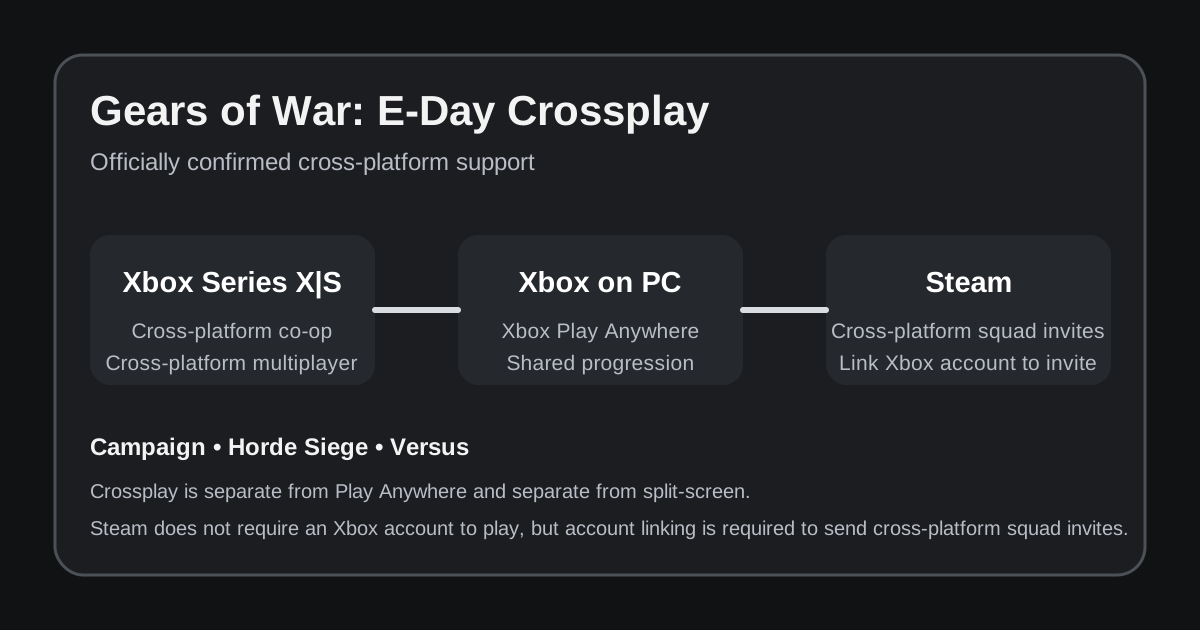
Gears of War: E-Day supports cross-platform multiplayer and co-op across the Xbox ecosystem, and official beta documentation also confirms that Steam players can use cross-platform squad invites. The Xbox Store lists both Xbox cross-platform multiplayer and Xbox cross-platform co-op, while The Coalition's Open Beta FAQ explains that Steam players can link an Xbox/Microsoft account specifically to send cross-platform squad invites.
That is the key update compared with earlier pre-launch information. Steam is no longer merely an announced storefront with uncertain matchmaking. The official FAQ gives a direct cross-platform interaction path for Steam players. The remaining caveat is that Xbox and The Coalition have not published a giant mode-by-mode matrix spelling out every possible storefront combination for every playlist, so this guide sticks to what the first-party sources actually confirm.
Is Gears E-Day crossplay confirmed?
Yes. The strongest official evidence comes from two places.
First, the Xbox Store capability list for Gears of War: E-Day includes Xbox cross-platform multiplayer and Xbox cross-platform co-op. The same page lists PC and Xbox Series X|S as playable devices and also labels the game Xbox Play Anywhere.
Second, The Coalition's Open Beta FAQ answers a Steam-specific question. Steam players do not need an Xbox or Microsoft account simply to play on Steam, but if they want to send a cross-platform squad invite, they must link an Xbox account. That instruction would make little sense if Steam were isolated from the cross-platform player pool.
The practical platform picture is now:
| Platform pairing | Status | Evidence |
|---|---|---|
| Xbox Series X|S ↔ Xbox on PC | Confirmed | Xbox Store cross-platform co-op and multiplayer capabilities |
| Xbox / Xbox PC ↔ Steam | Confirmed for cross-platform squad invites | Official Open Beta FAQ account-linking instructions |
| Steam ↔ Steam | Supported online play | Steam is an official launch platform |
| PlayStation ↔ Xbox / PC | Not applicable at present | E-Day has no announced PlayStation version as of September 6, 2026 |
| Nintendo Switch 2 ↔ Xbox / PC | Not applicable at present | No native Switch 2 release has been announced |
That means mixed Xbox-and-Steam groups now have first-party evidence for cross-platform squad formation instead of relying on assumptions from older Gears games.
Does Steam require an Xbox account?
Not just to play the game. The Coalition explicitly says an Xbox/Microsoft account is not required to play E-Day on Steam.
However, account linking becomes relevant for cross-platform social features. According to the official beta FAQ, a Steam player who wants to send a cross-platform squad invite needs to link an Xbox account from the game's social pane.
That creates an important distinction:
- Steam ownership does not automatically require an Xbox account just to launch and play.
- Cross-platform squad invites use Xbox account linking as the social bridge.
This is different from games that require a Microsoft account at all times on Steam. It is also different from Xbox Play Anywhere, which concerns ownership and progression inside the Xbox ecosystem rather than Steam entitlement.
Does crossplay work in Campaign?
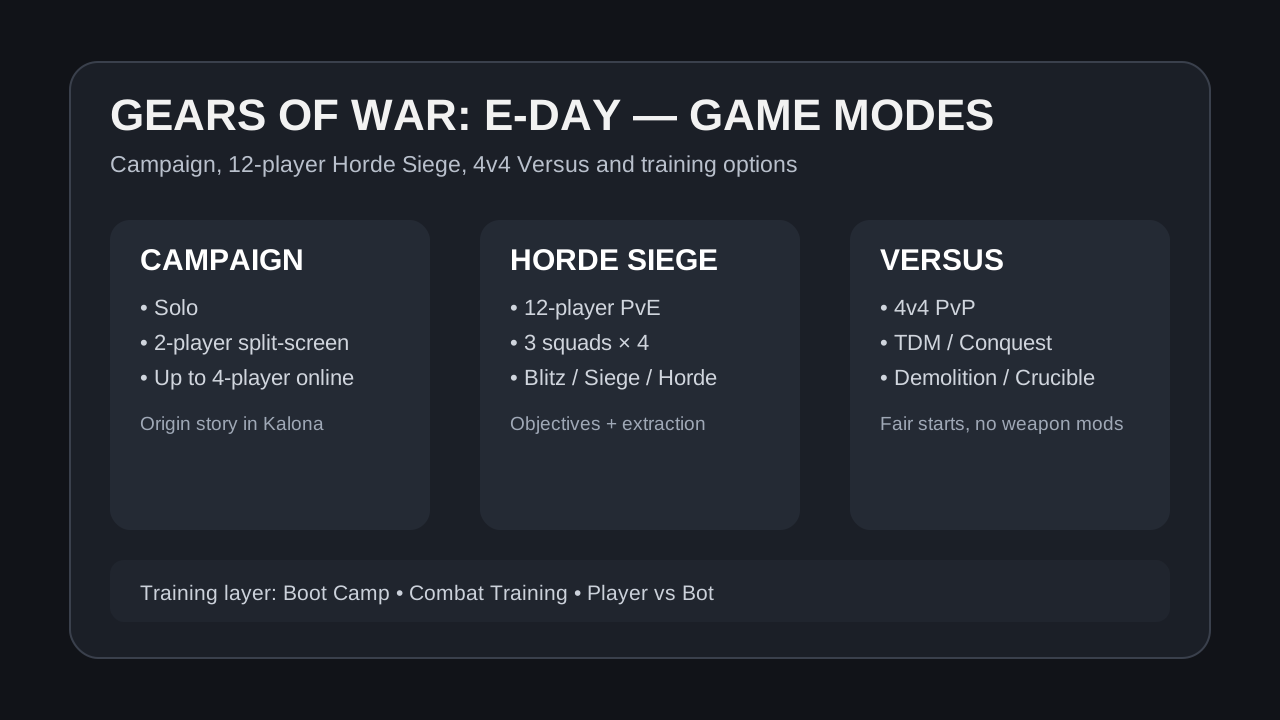
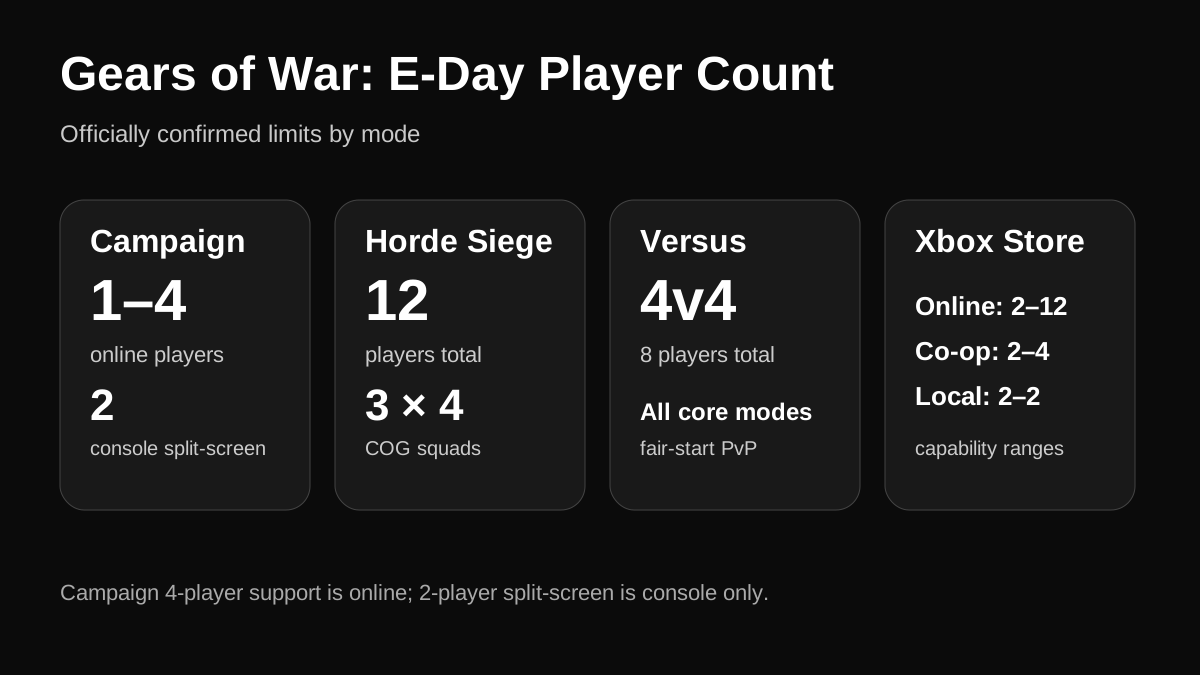
The Xbox Store describes online co-op for 2–4 players and separately lists Xbox cross-platform co-op. The main Xbox game page says the Campaign can be played alone, in two-player split-screen on console, or with up to four players online.
That is enough to say cross-platform co-op is part of E-Day's online feature set. The official sources do not publish a special exception saying Campaign is excluded from cross-platform co-op.
For planning purposes, the safe interpretation is:
- local two-player split-screen remains console-only;
- online Campaign supports up to four players;
- cross-platform co-op is an advertised product capability;
- Steam has a documented route to cross-platform squad invites.
What is not explicitly documented is every possible host/client storefront combination in a separate Campaign compatibility table. There is no need to invent one when the broader first-party support is already clear.
For local co-op details, see the Gears E-Day split-screen guide.
Does crossplay work in Horde Siege?
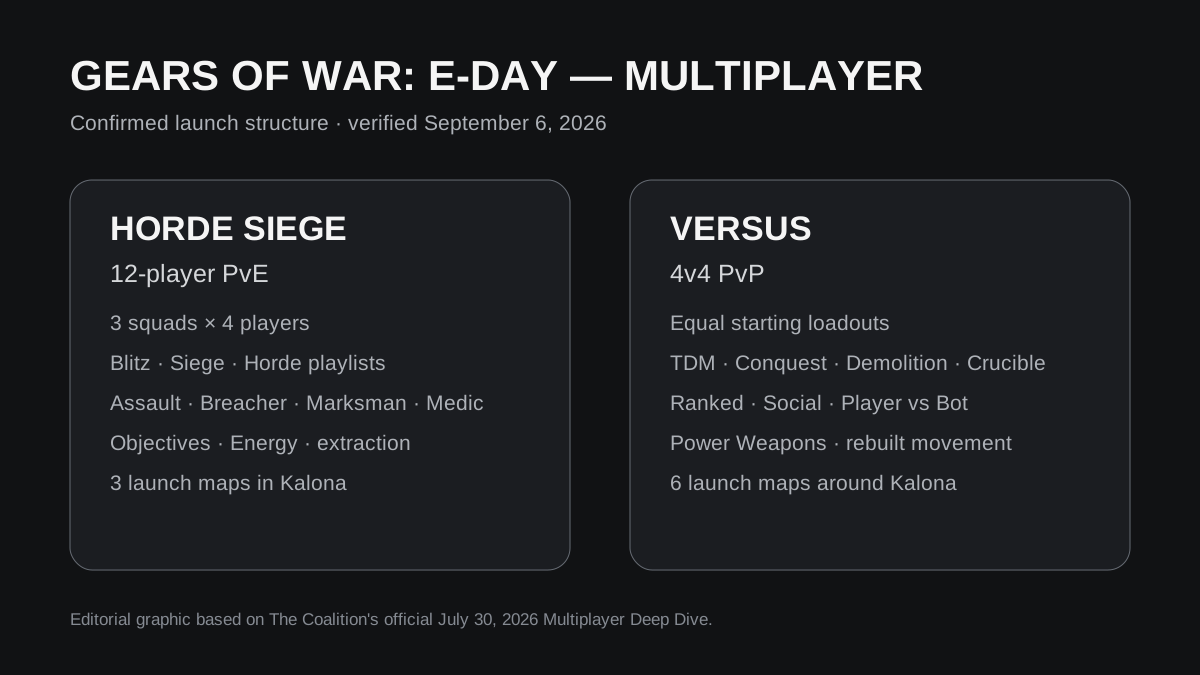
Horde Siege is an online cooperative mode for up to 12 players across three four-player COG squads. The Xbox Store lists online multiplayer up to 12 players, online co-op up to four players at the squad level, and cross-platform multiplayer/co-op capabilities.
The Coalition's multiplayer documentation presents Horde Siege as one of the game's core online pillars, not as a platform-isolated mode. Combined with the Steam cross-platform invite guidance, there is strong first-party support for treating mixed-platform Horde Siege play as part of the intended multiplayer ecosystem.
The social structure matters here. You normally enter Horde Siege as a four-player squad, while multiple squads occupy the larger battlefield. The Steam FAQ specifically talks about cross-platform squad invites, which aligns directly with how Horde Siege parties are formed.
The official material still does not publish a separate sentence saying, for example, “Xbox Series X player A can always directly invite Steam player B into every Horde Siege playlist under every regional condition.” That level of support detail is usually handled by the game's social system rather than marketing copy.
For the mode itself, see the Horde Siege guide and Gears E-Day classes guide.
Does crossplay work in Versus?
The Xbox Store lists Xbox cross-platform multiplayer, while Versus is E-Day's primary competitive multiplayer pillar. The Multiplayer Deep Dive confirms the launch Versus structure is 4v4 across Team Deathmatch, Conquest, Demolition, and Crucible.
The Steam beta also gave players a live cross-platform multiplayer environment before launch, and the official beta FAQ provided the Steam account-linking route for cross-platform squad invites.
The key thing not to confuse is crossplay with competitive rules. Cross-platform play does not change the basic Versus setup: players still begin with the same loadout equipment and Weapon Mods are disabled. The competitive advantage comes from map knowledge, movement, Power Weapon control, and team coordination rather than storefront-specific progression.
For the PvP structure, see the Gears E-Day 4v4 guide.
Crossplay vs Xbox Play Anywhere
These terms describe different systems.
Crossplay means players using different supported platforms or storefront environments can play together online.
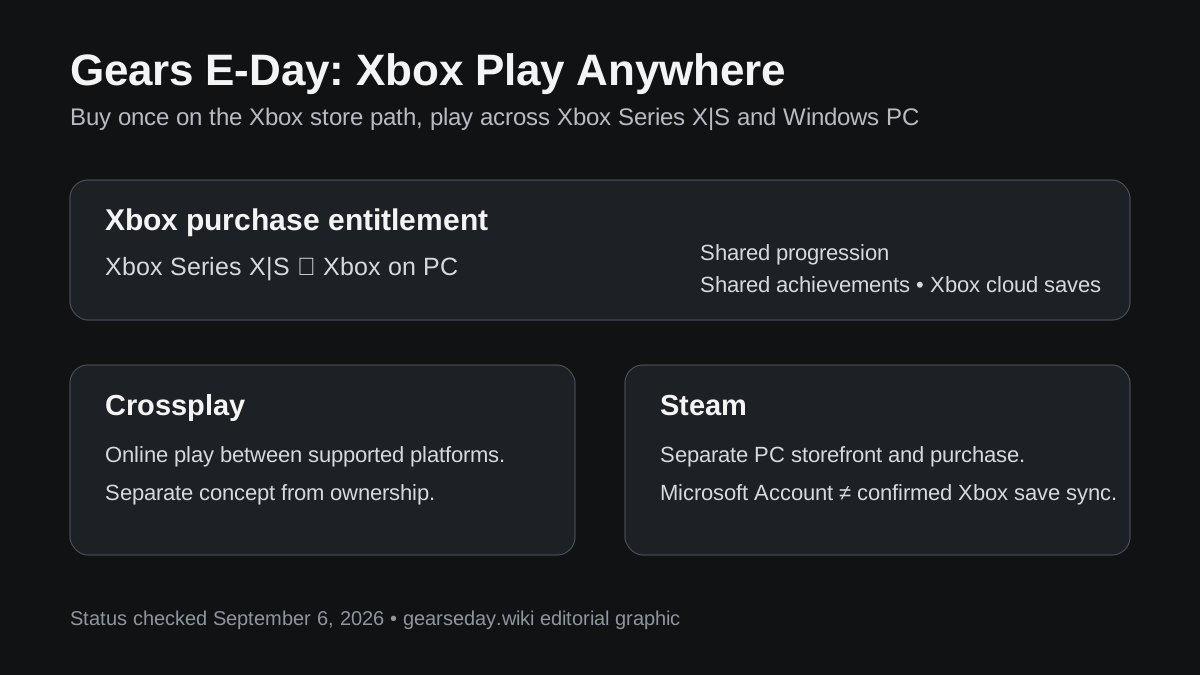
Xbox Play Anywhere means an eligible Xbox digital purchase works across Xbox console and Xbox on PC, with shared progression and achievements through the Xbox ecosystem.
E-Day officially supports Xbox Play Anywhere. The Xbox game page says you can buy once and play across Xbox Series X|S and PC, with shared progression and achievements.
That does not mean a Steam purchase automatically grants an Xbox copy. Steam is a separate storefront. Likewise, owning the game through Play Anywhere is not what enables crossplay; Xbox lists cross-platform multiplayer and co-op as separate capabilities.
Crossplay vs cross-save / shared progression
The Xbox product page explicitly advertises shared progression and achievements through Xbox Play Anywhere between Xbox console and Xbox on PC.
That should not automatically be extended to Steam. The official sources checked here confirm Steam cross-platform squad invites, but they do not make the same broad “shared progression and achievements” promise for Steam that Xbox makes for Play Anywhere.
So the clean distinction is:
- Xbox Series X|S ↔ Xbox on PC: crossplay plus Play Anywhere shared progression/achievements.
- Steam ↔ Xbox ecosystem: cross-platform squad interaction is confirmed, but Steam cross-save parity should not be assumed without a specific official statement.
This distinction matters if you are choosing where to buy. Someone who wants to move freely between an Xbox console and a Windows PC with one Xbox purchase has a clear Play Anywhere path. Someone choosing Steam should choose it for the Steam ecosystem, not because Play Anywhere applies to Steam.
How to send a cross-platform squad invite from Steam
The Coalition's beta instructions give a straightforward path:
- Open the game's main menu.
- Open the social pane.
- Look in the upper-left corner for the Link Account option.
- Link an Xbox/Microsoft account.
- Use the linked social system to send cross-platform squad invites.
The exact UI wording could change between beta and launch, but the important system is official: linking an Xbox account is the mechanism for Steam-originated cross-platform squad invites.
If an invite does not work at launch, check account linking, privacy settings, online-service status, and whether both players are on compatible/current game versions before assuming crossplay itself is unavailable.
Does console crossplay require Game Pass?
Crossplay itself and online-access subscriptions are separate issues.
The Xbox Store says console online multiplayer requires an Xbox Game Pass tier that includes online multiplayer. That requirement applies to online Campaign co-op, Horde Siege, Versus, and other online features on console.
A subscription requirement does not define which platforms can match together. It simply determines whether the console account has access to online multiplayer services.
PC and Steam players should follow the requirements of their own storefront and account environment rather than applying the console subscription rule to PC.
What about PS5 crossplay?
As of September 6, 2026, Gears of War: E-Day has been announced for Xbox Series X|S and PC, including Steam. There is no announced PS5 version of E-Day.
That means “PS5 crossplay” is currently the wrong question: there is no native E-Day PlayStation build to connect to the Xbox/PC player pool.
This does not justify saying E-Day can never come to PlayStation. It only reflects the currently announced platforms. For that distinction, see the Gears E-Day PS5 guide.
Gears E-Day crossplay FAQ
Can Xbox and PC players play Gears E-Day together?
Yes. The Xbox Store lists both Xbox cross-platform multiplayer and Xbox cross-platform co-op, covering the Xbox Series X|S and Xbox PC ecosystem.
Can Steam players play with Xbox players?
Official beta documentation confirms Steam cross-platform squad invites. Steam players do not need an Xbox account simply to play on Steam, but they must link one if they want to send cross-platform squad invites.
Is Gears E-Day crossplay in Campaign?
The game supports up to four-player online Campaign co-op and advertises cross-platform co-op as a product capability. No official Campaign-specific crossplay exclusion has been published.
Is Horde Siege cross-platform?
Cross-platform multiplayer/co-op is an advertised E-Day capability, and Steam cross-platform squad invites are officially documented. Horde Siege is one of the game's primary online co-op modes.
Is Versus crossplay?
The Xbox Store lists cross-platform multiplayer, and Versus is E-Day's core 4v4 PvP mode. The beta also operated as a cross-platform multiplayer environment.
Does Xbox Play Anywhere include Steam?
No. Play Anywhere applies to eligible Xbox purchases across Xbox console and Xbox on PC. Steam is a separate purchase ecosystem.
Does crossplay mean cross-save?
No. Xbox Play Anywhere explicitly provides shared progression and achievements across Xbox Series X|S and Xbox on PC. Steam cross-platform squad play is confirmed, but identical Steam-to-Xbox progression sharing should not be assumed without a specific official statement.
Bottom line
Gears E-Day crossplay is now clearly supported across the game's Xbox-and-PC multiplayer ecosystem, with Steam specifically included in official cross-platform squad-invite instructions. Xbox Series X|S and Xbox on PC have the clearest full-stack integration through cross-platform multiplayer, cross-platform co-op, Play Anywhere, shared progression, and shared achievements. Steam is a separate storefront, but The Coalition confirms that Steam players can link an Xbox account to send cross-platform squad invites.
The safest way to understand the system is to keep three features separate: crossplay lets people play together, Play Anywhere handles Xbox ownership across console and PC, and shared progression is its own account/storefront feature. E-Day supports all three in some form, but they do not mean the same thing.